Choose by task and output

PDF, Word and Excel Skills: Choose by the File You Need

Choose the skill from the input and final deliverable. Reading a scanned PDF, creating an editable Word report and cleaning a spreadsheet are separate jobs, even when they share the same source material.

By OpenAgentSkill · Source notes checked

Start with the job you need done

Compare the source, output and setup

The comparison describes the pinned upstream instructions. It does not assign new review scores or imply successful installation. Inspect the pinned instructions and available registry profiles before choosing.

3 source-backed workflows · Scroll horizontally on smaller screens.
Skill / taskOutputSetupLimits
Anthropic PDF

Read, extract, OCR and assemble PDFs

Pinned SKILL.md ↗
Extracted text or tables, searchable PDFs, or generated PDF filesThe source's Python / CLI dependencies; OCR needs an OCR engineScans require OCR. Table structure and reading order must be checked against page images.
Anthropic DOCX

Generate and edit Word documents

Pinned SKILL.md ↗
Editable DOCX paragraphs, headings, tables and document structureA document library and a renderer for layout checksInspect the rendered pages. Successful file creation alone does not prove a readable document.
Anthropic XLSX

Clean data and create editable spreadsheets

Pinned SKILL.md ↗
XLSX files with typed cells, formulas, formatting and chartsA coding runtime, spreadsheet libraries and a compatible recalculation / inspection pathCheck formula results and missing values. A CSV or screenshot is not an editable Excel workbook.

From a brief to a checked deliverable

  1. Identify input type: digital PDF, scanned page, structured notes or CSV.
  2. Choose the required output: text / markdown / table, DOCX or XLSX.
  3. Keep source material separate from generated output and record corrections or missing information.
  4. Inspect the saved file and reconcile its content or totals with the original inputs.

Examples you can inspect

These original editorial fixtures demonstrate the deliverables and checks to ask for. Their production notes identify how they were made; they are separate from upstream Skill instructions.

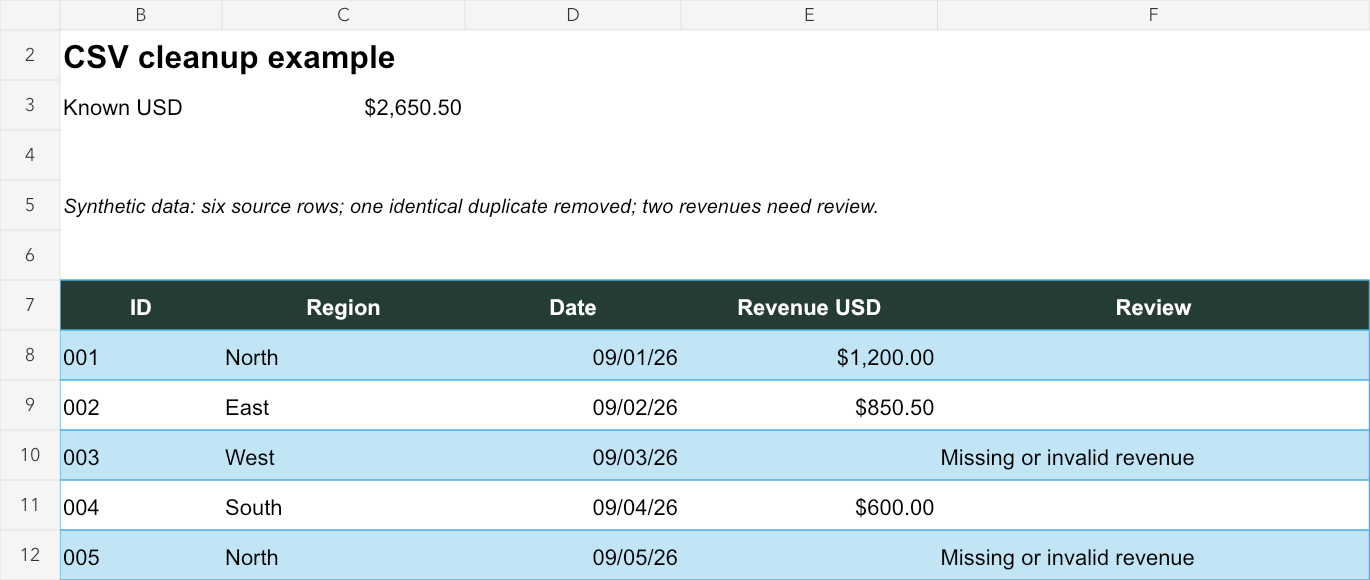
Messy CSV to an editable Excel workbook

Messy CSV to an editable Excel workbook

Input
Six synthetic sales rows: padded labels, currency strings, one exact duplicate, a blank value and an invalid revenue value.
Output
Five unique records with typed dates and numbers, two review flags, a formula total and the preserved original CSV.

Known revenue reconciles to $2,650.50. Editing one revenue updates the total; missing values stay unavailable. Workbook structure and both sheet previews are checked.

Produced with a spreadsheet authoring library, not a claimed runtime test of every listed XLSX skill. Native Excel was not executed.
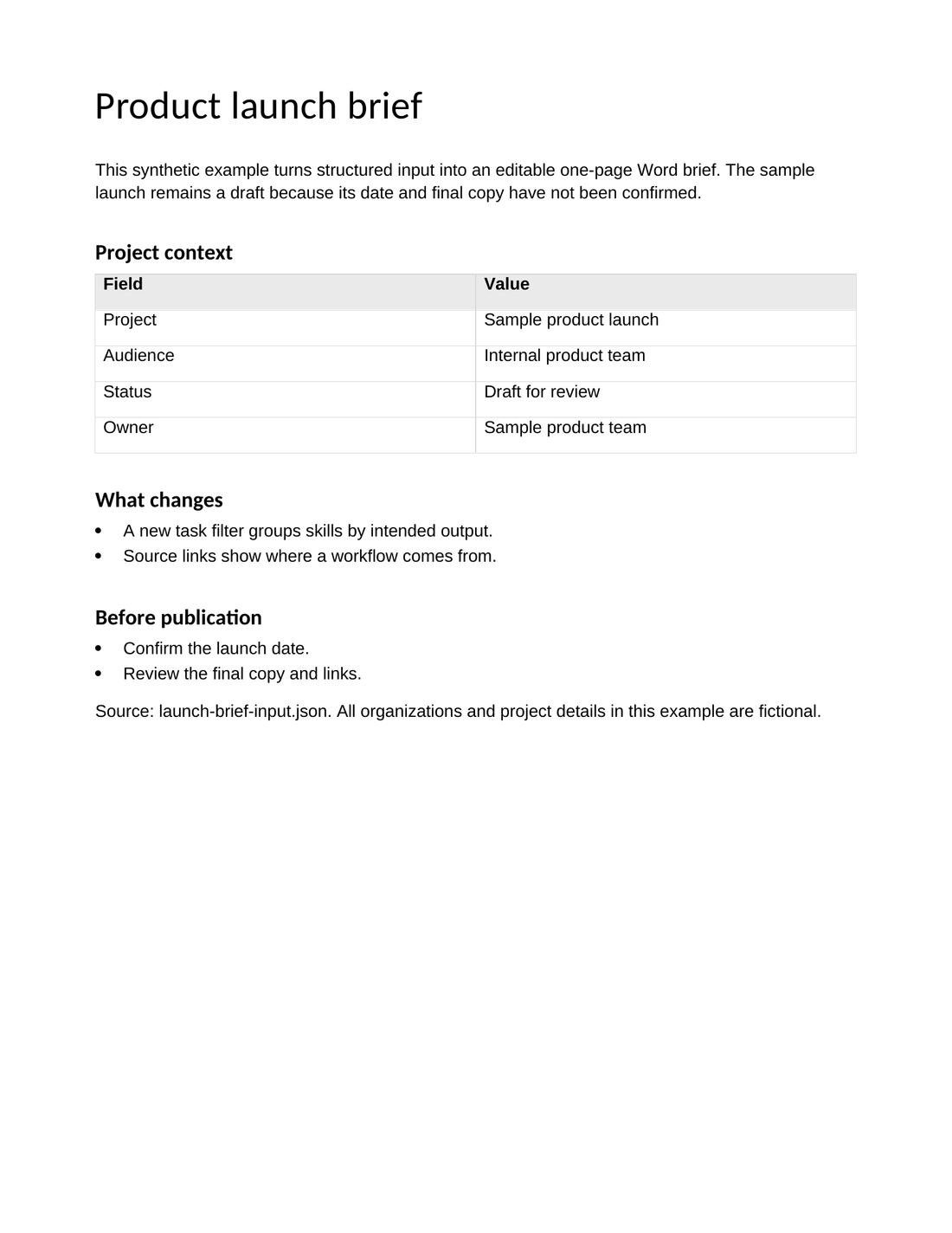
Structured notes to an editable Word brief

Structured notes to an editable Word brief

Input
A fictional product launch brief in JSON, with supplied changes and unresolved publication items.
Output
An editable DOCX with native headings, paragraphs and a project-context table.

Saved paragraphs and table rows are compared with the input; the rendered page is inspected for layout problems.

Original editorial fixture made with a document library. No real launch date or business result is invented, and this is not a comparative Skill benchmark.

Check your client's workflow

Codex, Claude Code and Cursor

Use the client's discovered skill name and preserve referenced scripts and files. Remotion explicitly lists these clients in its official guide; each other source has its own setup requirements.

WorkBuddy, Trae and CodeBuddy

Check the current client's custom-skill import, shell or file access and the selected source's documented support. Keep helper files together. Test one small input before treating a community workflow as compatible.

Doubao and chat-only workflows

Specify the actual product and its file or tool capabilities. A conversation can help draft a brief; producing editable files or running a local code skill requires the corresponding supported runtime.

Common questions

Is Canvas Design a PDF parsing skill?

Its visual creation workflow is different from extracting text and tables. This document shortlist uses the source's actual PDF, DOCX and XLSX tasks instead of selecting a candidate only because its description mentions PDF.

Can a PDF be converted to Word without losing structure?

It depends on the source layout and text layer. Inspect tables, headings and reading order after conversion; scans need OCR, and exact layout preservation is not guaranteed.

Continue with a focused workflow