Choose by task and output

Frontend Design Skills: UI/UX, Figma to Code and Review

A landing page, a product dashboard and a Figma handoff need different kinds of help. Choose a design skill for the page you are building, then add implementation and review skills where the task calls for them.

By OpenAgentSkill · Source notes checked · Guide updated

Start with the job you need done

Compare the source, output and setup

The comparison describes the pinned upstream instructions. It does not assign new review scores or imply successful installation. Inspect the pinned instructions and available registry profiles before choosing.

6 source-backed workflows · Scroll horizontally on smaller screens.
Skill / taskOutputSetupLimits
Frontend Design

Visual direction and implementation

Pinned SKILL.md ↗
Frontend code for a distinctive interfaceA coding agent and the target application's toolchainChoose a design direction from the brief. It does not establish accessibility or browser correctness.
UI UX Pro Max

UI systems and product interfaces

Pinned SKILL.md ↗
Design choices, component guidance and implementationKeep the source's data and scripts; inspect its client-specific setupUse for product UI and dashboards. Searchable design guidance is not a usability study.
Taste Skill

Landing pages and purposeful redesigns

Pinned SKILL.md ↗
Landing pages, portfolios and editorial frontend layoutsA coding agent with access to the brief and existing codeThe checked source excludes dashboards, data tables and multi-step product UI.
Figma Implement Design

Implement an approved design

Pinned SKILL.md ↗
Application code guided by Figma frames and tokensFigma MCP, an accessible design URL or selected desktop node, and repository accessRequires the actual design and access. A screenshot-only reconstruction is a different task.
Web Design Guidelines

Review an implementation

Pinned SKILL.md ↗
Findings against web interface guidelinesUI files and access to the source's current guidelinesReviews existing UI. It does not generate an entire application or certify compliance.
Vercel React Best Practices

React and Next.js performance

Pinned SKILL.md ↗
Focused implementation or refactoring guidanceAn existing React / Next.js project and its checksMeasure affected user flows after changes. Static guidance is not a performance benchmark.

From a brief to a checked deliverable

  1. Write a brief with the audience, page type, approved content, stack and target viewports.
  2. Choose one design workflow. For a Figma implementation, supply the accessible frame and its assets.
  3. Implement a small page or representative state, then check keyboard use, mobile layout and empty / error states.
  4. Review the result and keep the design input, source revision, code and browser evidence together.
Read the task guide →

Examples you can inspect

These original editorial fixtures demonstrate the deliverables and checks to ask for. Their production notes identify how they were made; they are separate from upstream Skill instructions.

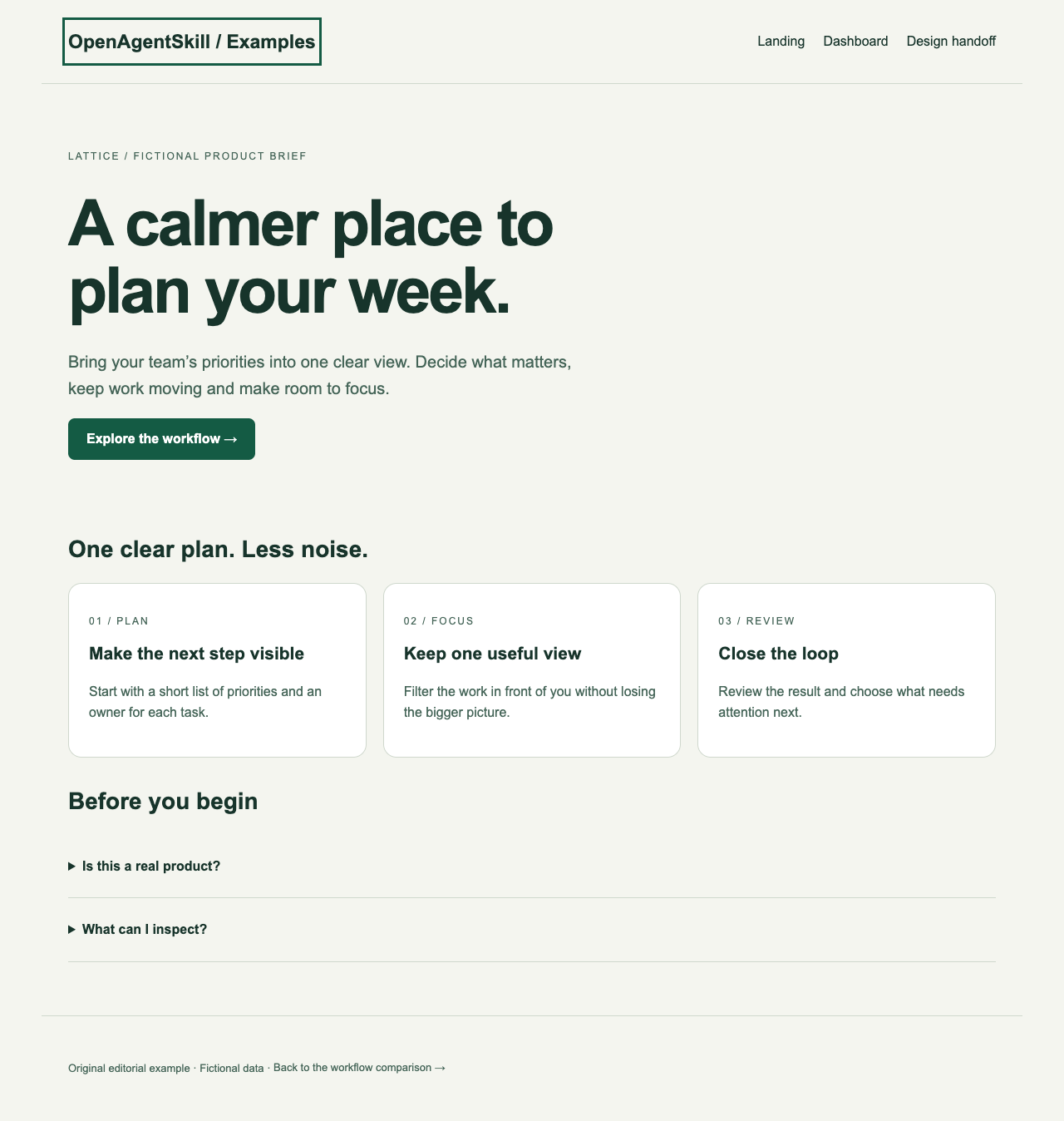
A landing page from a product brief

A landing page from a product brief

Input
A fictional task-management product, approved sample copy and an accessible single-page layout.
Output
A responsive HTML landing page with keyboard-visible navigation and an FAQ.

Original OpenAgentSkill editorial example. Browser layout checked at desktop and mobile widths; local links and headings inspected.

Sample copy and figures are fictional. This is not a comparative run of the listed design skills.
A product dashboard with useful states

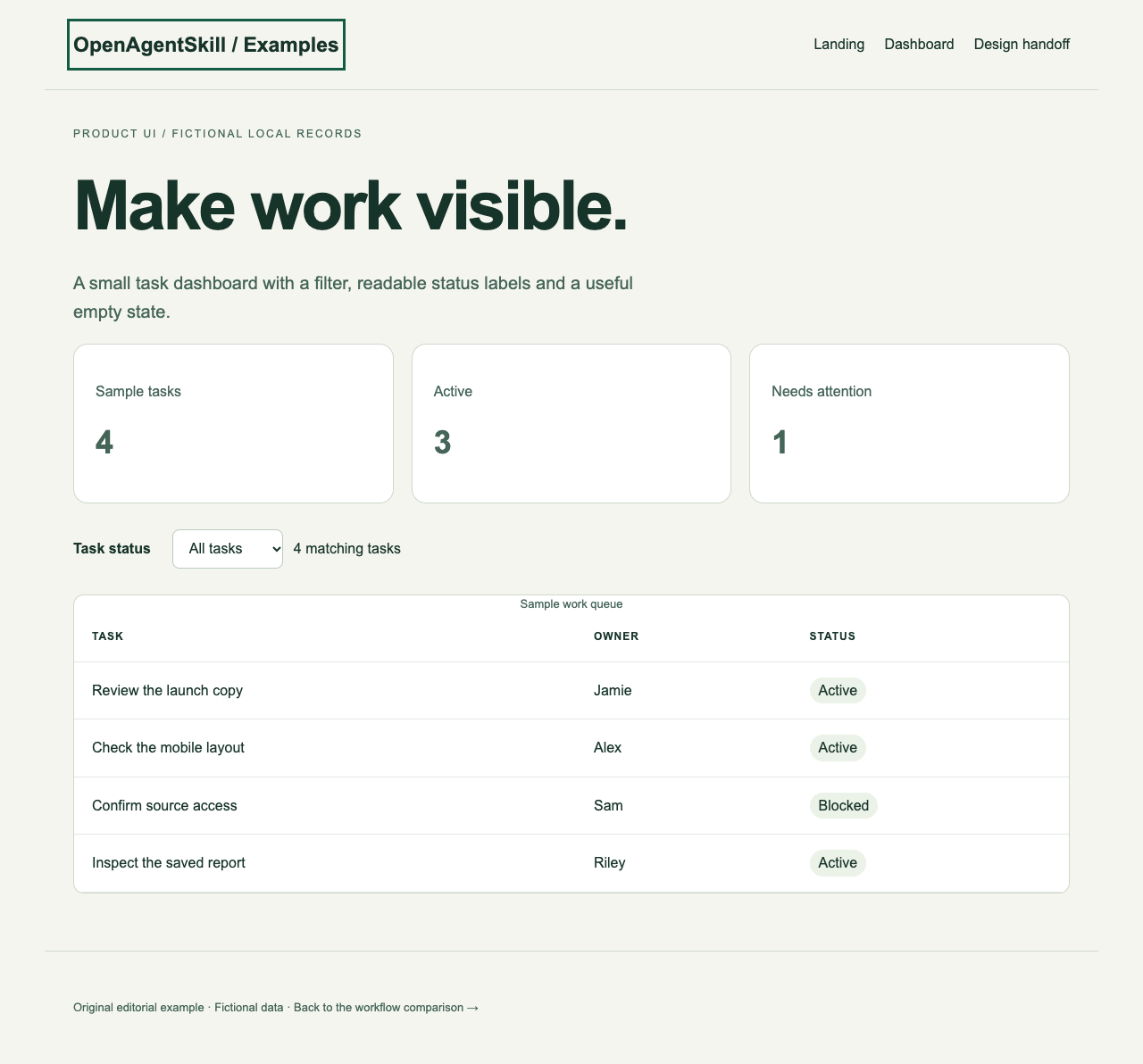
A product dashboard with useful states

Input
A fictional operations dashboard with a task table, status labels and an empty-state specification.
Output
Responsive HTML with sample records, an accessible filter and a meaningful empty state.

Original editorial example. Filter interaction and the empty state checked in a browser; sample records remain local.

No live backend or customer metrics. It demonstrates product UI requirements, not backend integration or a usability study.

A design-token handoff to code

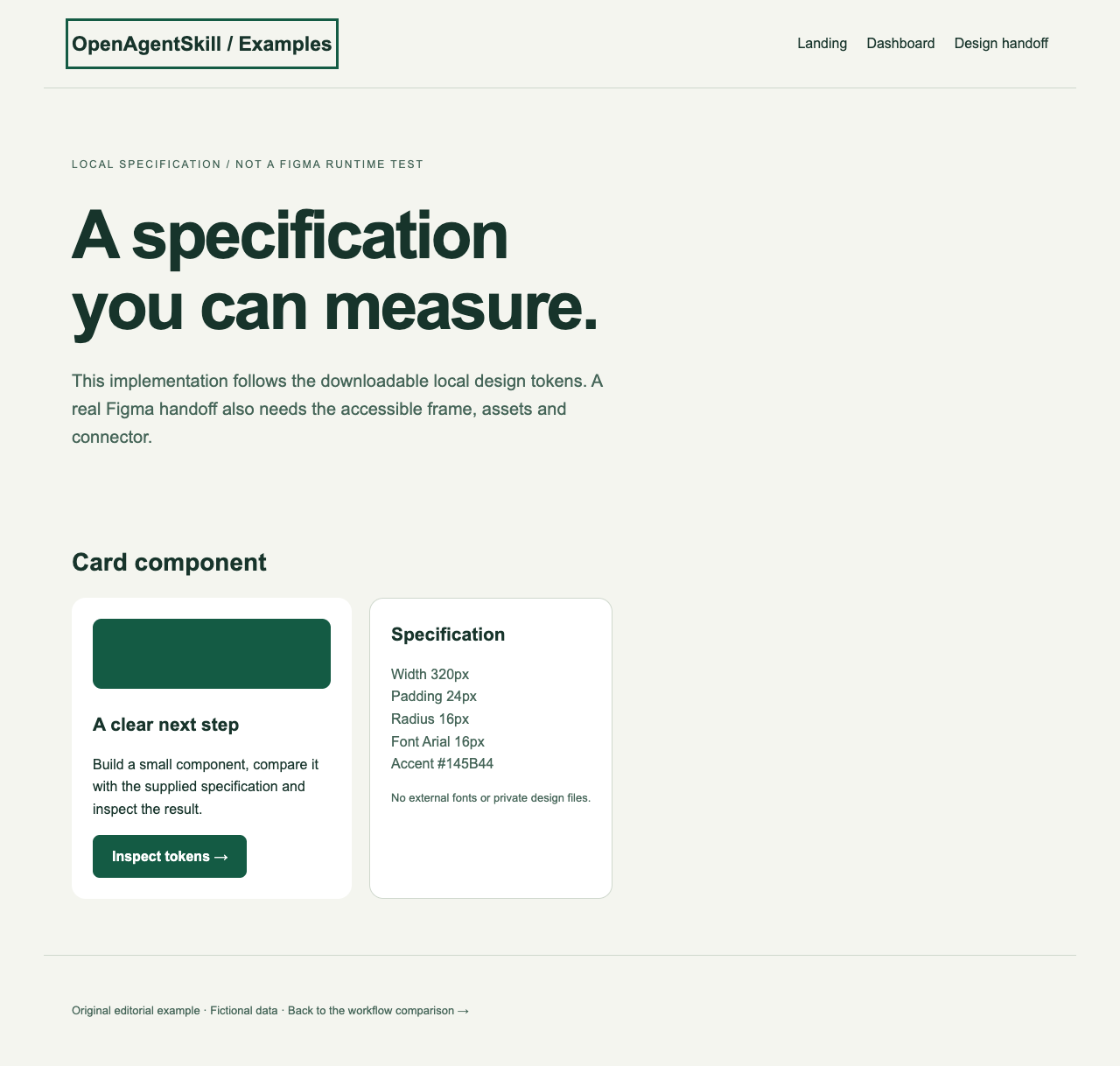
A design-token handoff to code

Input
A local component specification with explicit colors, spacing, type and card dimensions.
Output
An HTML component implementation and its machine-readable design tokens.

Original editorial fixture. The implemented colors, spacing and card width are compared with the supplied local token specification.

The source is a local design specification, not a private Figma file. A real Figma fidelity check requires your accessible frame and Figma MCP.

Start with one page and its difficult states

A frontend design skill needs a concrete page brief. Use the examples on this page to decide whether you need visual direction, a dashboard or a Figma implementation.

Prepare these inputs

  • Page purpose, intended audience, approved copy and assets.
  • Existing repository, framework and design system; identify what must stay unchanged.
  • For Figma to code: an accessible frame, its assets and design tokens.

A task brief for your agent

Help me implement one page in this repository using its existing design system. Ask for the audience, page type, approved copy and missing assets. Choose a frontend design workflow appropriate for a landing page, dashboard or supplied Figma frame; explain the choice and dependencies. Propose one layout before implementation. Preserve existing navigation and unrelated work. Check widths 320, 390, 768 and 1440 pixels, keyboard focus, long text, and any loading, empty and error states this page needs. Report the checks actually performed and remaining issues. Do not invent customer counts, testimonials or conversion results.

Review the brief and add your own inputs before running it.

Check the result

  1. Long text and controls remain usable at 320 pixels without horizontal page overflow.
  2. Tab navigation reaches each control and shows focus; meaningful images have text alternatives.
  3. Empty, loading and failure states make sense; sample records are clearly labeled.

If the first attempt fails

A good-looking landing page becomes an unusable dashboard

Choose product UI guidance and define table, filter and empty states. A marketing-page workflow may not cover those requirements.

Figma output differs from the approved frame

Confirm access to the intended node, assets and tokens, then compare the implementation with that frame at the same viewport.

The desktop version works but mobile content is cut off

Check fixed widths, long strings and table containers. Repair the component instead of hiding overflow on the whole page.

Check your client's workflow

Codex, Claude Code and Cursor

Use the client's discovered skill name and preserve referenced scripts and files. Remotion explicitly lists these clients in its official guide; each other source has its own setup requirements.

WorkBuddy, Trae and CodeBuddy

Check the current client's custom-skill import, shell or file access and the selected source's documented support. Keep helper files together. Test one small input before treating a community workflow as compatible.

Doubao and chat-only workflows

Specify the actual product and its file or tool capabilities. A conversation can help draft a brief; producing editable files or running a local code skill requires the corresponding supported runtime.

Common questions

Which frontend design skill should I choose for a dashboard?

UI UX Pro Max covers product interfaces and charts in its checked source. Taste Skill targets landing pages, portfolios and redesigns and excludes dashboards. Add browser and accessibility checks to either implementation path.

Is a Figma-to-code skill the same as a design generator?

No. Figma Implement Design translates an accessible design into repository code. It needs Figma MCP and a frame or selection; visual design from a brief is a different workflow.

Were all compared skills run on these examples?

No. The comparison describes pinned upstream instructions. The downloadable examples are original OpenAgentSkill editorial fixtures, with their own production and verification notes.

Continue with a focused workflow