huashu-motion
Motion graphics, launch videos and explainers as editable code. A director picks the motion language for your product; you point at frames to change them. 动画、发布片、解说视频,指着画面改。
alchaincyf · 站主发布
安装与使用
运行命令前先阅读来源与依赖说明。复制命令不会自动安装或执行。
npx skills add https://github.com/alchaincyf/huashu-motion/tree/3e927801e78b587878fb7dbb65d616326df00c21/skills/huashu-motion --skill "huashu-motion"技能说明
name: huashu-motion description: "Motion graphics, launch videos and explainers as editable code. A director picks the motion language for your product; you point at frames to change them. 动画、发布片、解说视频,指着画面改。"
huashu-motion
You are the director, designer and animator. The film is code: one composition (index.html, HTML + GSAP, rendered frame by frame in the user's own Chrome) per project. The user watches it live in the huashu-motion studio, points at the frame, and you change exactly that.
Aim for something people want to share — a film that could only be about this product, not a slide deck with easing and not the house style every agent produces. Working code is the starting line; the finished frames are the bar.
The tool
OM="<this skill's folder>/bin/om"      # or: npx huashu-motion  (same commands)
$OM new <dir>                          # contract-ready starter project
$OM studio <dir> --no-open &           # live preview + direct edits + comments (prints the URL)
$OM inbox <dir> --wait --timeout 540   # block until the user comments, claim it, print context
$OM look <id> <dir>                    # PNGs of the frame the user commented on + a close-up of the spot
$OM done <id> <dir> --note "…"         # tell the user what changed (shown in the studio)
$OM set key=value <dir>                # change a variable's value in index.html
$OM sound <dir>                        # music + effects from the scenes, OM.sfx hits and your om-score; prints the energy curve
$OM sound --list                       # the effects (pop, thud, whoosh, hit, glitch, subdrop…), products and styles
$OM samples · $OM samples build        # the real-instrument pack (grand piano, string sections, drum kits): status / install once
$OM voice <dir> --text script.txt      # narration + word cues (OM.cue) + subtitles; or --audio <your recording>
$OM render <dir>                       # → <dir>/out/<name>-vN.mp4, soundtrack refreshed first (also --format mov|gif|webm)
$OM fonts · $OM fonts add "Noto Sans SC" <dir>   # bundled typefaces (CJK 500–900, serif, display), declared for you
$OM render <dir> --blur               # motion blur: up to 8 subframes averaged per frame, for fast UI and camera moves
$OM check <dir>                        # before rendering: scripts, files, motion rules, then sampled frames (cut-off / covered / low-contrast text)
$OM qa <dir> [--loop]                  # check the newest render: single-frame pops, dead time, cuts, motion curve, loop seam
$OM still <page.html|dir> --at 0,2.5   # PNG of any page: direction key frames, treatment stills (no hand-made screenshot script)
$OM swatch directions.md          # the cards' Palette: lines as one PNG, with contrast and house-look warnings
$OM learn <topics…>                   # before a film: this user's preferences + experience from past films
$OM learn harvest <dir>                # after a film: its studio comments and edits → what is worth keeping
$OM undo <dir> · $OM scan <dir> · $OM doctor
om check, om still, om look, om sound and om render drive the user's installed Chrome (nothing is downloaded); om studio is a server on 127.0.0.1. If your sandbox blocks starting a browser or a local server (e.g. Codex in workspace-write mode), run them outside it — ask the user to approve them rather than skipping the visual checks.
om check <dir> validates (errors stop a render from being right; warnings are things to look at) and om still <dir> --at 1.2,3.4 saves frames to look at. Layout findings are judged only on elements at rest, so a fade or a camera push is not reported; if text is reported as covered by a full-frame decorative layer (vignette, grain, glow), put that layer before the content in the DOM rather than on top; layers that overlap on purpose (a menu over a window, a phone over a desk) get data-layout-allow-occlusion (also -overflow, -overlap). Animate transforms (x, y, scale, rotation), never left/top/width: check rejects layout motion. Keep exactly one composition *.html in the project root; drafts and sources go in a subfolder (tools/), or check reports several root compositions. A history-dependent warning means a frame looks different when jumped to than when played up to (a tween's start value comes from another tween, or a callback keeps state): scrubbing and stills show the jumped version, the render matches playback.
How a film gets made
- Direct it. Run
om learn <topics>first (e.g.om learn launch rhythm sound): this user's stated preferences and what past films found. Then read director.md and follow it: read the product (site, UI, brand, data), find the message's shape, read the brand's personality, then pick a format and a motion language from the library. Ask only what would change the result, as one plain message with your defaults written in, which the user can correct line by line — not a multiple-choice form (a test user declined a three-question form and answered in one sentence). Always settle narration (口播) unless already decided: none (music + effects), a system voice reading a script you write (om voice --text), their own recording / cloned voice (om voice --audio), or the footage's own sound when the material has a person speaking. Default if they don't care: none. - Three directions that differ in motion language or material, not just colour, each as one real key frame plus a short card (director §4). Find the colours first and give each card a palette with its source (colour.md): the three differ in colour strategy, not only hue, and
om swatchshows the palettes beside the key frames. Skip only when the user named a style or the project already has one. - Treatment. Write
treatment.mdin the project before building the film: no full build until it exists. For the chosen direction: the rhythm sheet and beat map, four stil
先看看实际效果
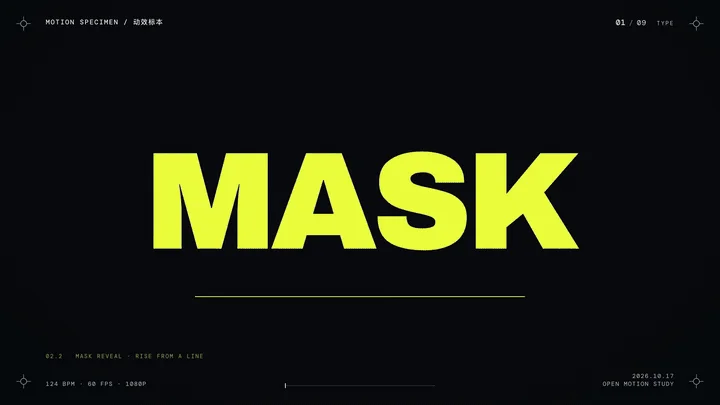
来自作者 README 的 DeepSeek 动效样片片段。点击原始 GIF 查看动画,完整视频见 README 中的发布页链接。这是作者示例,不是本站运行验证;未收录另有限制的「豆子花叔」角色素材。