Frontend Design
Visual direction and implementation
Setup: A coding agent and the target application's toolchain
Choose a design direction from the brief. It does not establish accessibility or browser correctness.
Read pinned SKILL.md ↗Practical task guide
Compare frontend design skills by task: landing pages, product dashboards, Figma implementation, accessibility review and React performance. Explore editable examples.
Decision prompt
Help me create a distinctive landing page. Ask for missing inputs, choose by output, explain dependencies, and deliver a checked file without inventing results.
Published by OpenAgentSkill. This workflow follows pinned upstream instructions. Inspect the source, prerequisites and deliverable checks before installing. Editorial update: .
Task fit, source instructions, setup and limitations.
Visual direction and implementation
UI systems and product interfaces
Landing pages and purposeful redesigns
Implement an approved design
Recommended shortlist
Visual direction and implementation
Setup: A coding agent and the target application's toolchain
Choose a design direction from the brief. It does not establish accessibility or browser correctness.
Read pinned SKILL.md ↗UI systems and product interfaces
Setup: Keep the source's data and scripts; inspect its client-specific setup
Use for product UI and dashboards. Searchable design guidance is not a usability study.
Read pinned SKILL.md ↗Landing pages and purposeful redesigns
Setup: A coding agent with access to the brief and existing code
The checked source excludes dashboards, data tables and multi-step product UI.
Read pinned SKILL.md ↗Implement an approved design
Setup: Figma MCP, an accessible design URL or selected desktop node, and repository access
Requires the actual design and access. A screenshot-only reconstruction is a different task.
Read pinned SKILL.md ↗Review an implementation
Setup: UI files and access to the source's current guidelines
Reviews existing UI. It does not generate an entire application or certify compliance.
Read pinned SKILL.md ↗React and Next.js performance
Setup: An existing React / Next.js project and its checks
Measure affected user flows after changes. Static guidance is not a performance benchmark.
Read pinned SKILL.md ↗How to use this guide
Write a brief with the audience, page type, approved content, stack and target viewports.
Choose one design workflow. For a Figma implementation, supply the accessible frame and its assets.
Implement a small page or representative state, then check keyboard use, mobile layout and empty / error states.
Review the result and keep the design input, source revision, code and browser evidence together.
Evaluation notes
A landing page, a product dashboard and a Figma handoff need different kinds of help. Choose a design skill for the page you are building, then add implementation and review skills where the task calls for them.
Source review, an editorial example and a successful runtime test answer different questions. Record which one you actually have.
FAQ
UI UX Pro Max covers product interfaces and charts in its checked source. Taste Skill targets landing pages, portfolios and redesigns and excludes dashboards. Add browser and accessibility checks to either implementation path.
No. Figma Implement Design translates an accessible design into repository code. It needs Figma MCP and a frame or selection; visual design from a brief is a different workflow.
No. The comparison describes pinned upstream instructions. The downloadable examples are original OpenAgentSkill editorial fixtures, with their own production and verification notes.
Next guides
Practical task guide
Understand official Remotion agent skills, their setup and limitations. Download an original React composition and MP4 example, and follow the render verification steps.
Practical task guide
Choose a PDF skill for Claude Code by task: digital text, tables, scanned-page OCR or markdown conversion. Check dependencies and reconcile the extracted output.
Practical task guide
Use an XLSX skill for CSV cleanup, typed cells, formulas and editable Excel delivery. Download a messy CSV and the checked workbook example with missing values preserved.
These original editorial fixtures demonstrate the deliverables and checks to ask for. Their production notes identify how they were made; they are separate from upstream Skill instructions.
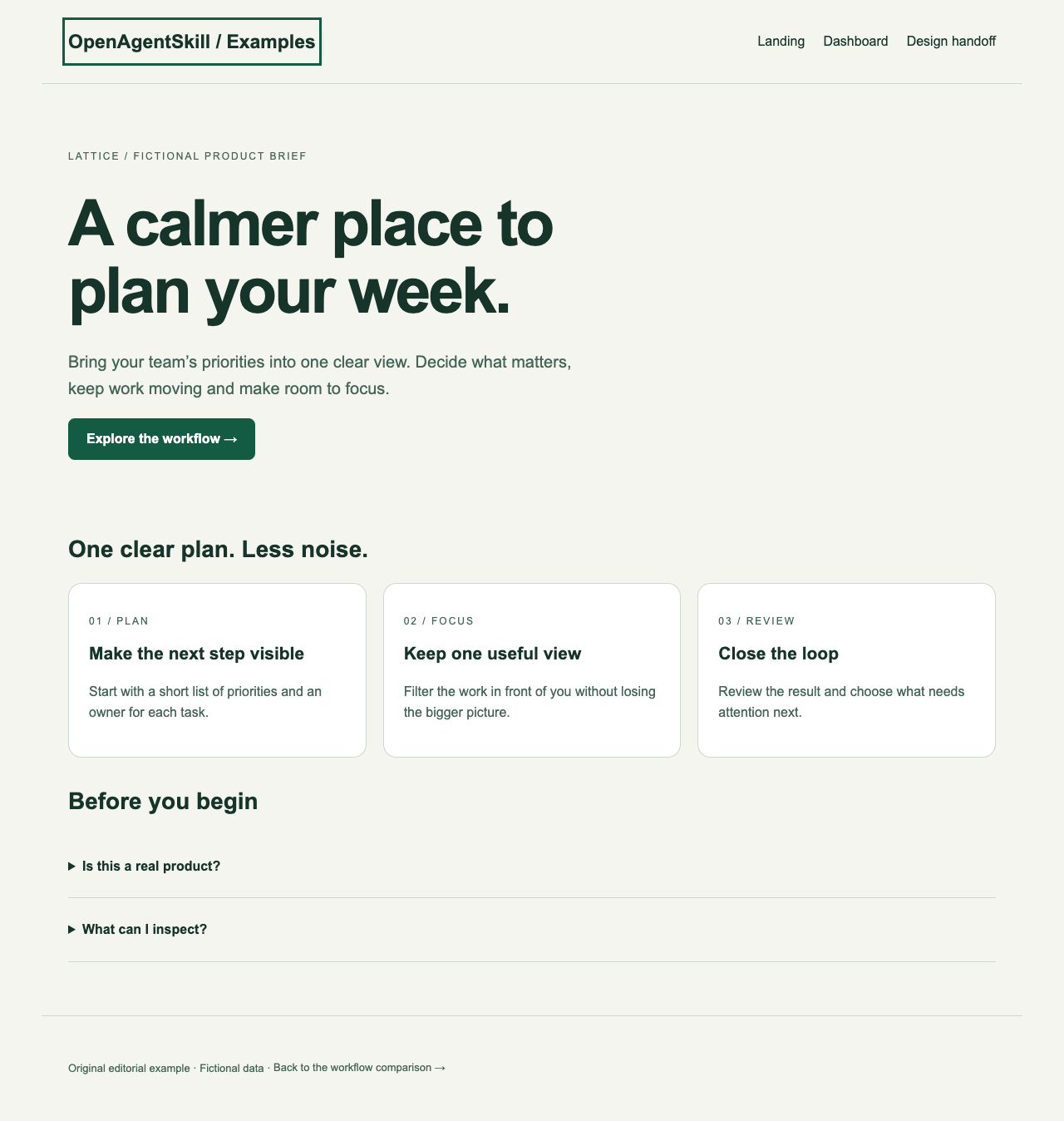
Original OpenAgentSkill editorial example. Browser layout checked at desktop and mobile widths; local links and headings inspected.
Sample copy and figures are fictional. This is not a comparative run of the listed design skills.
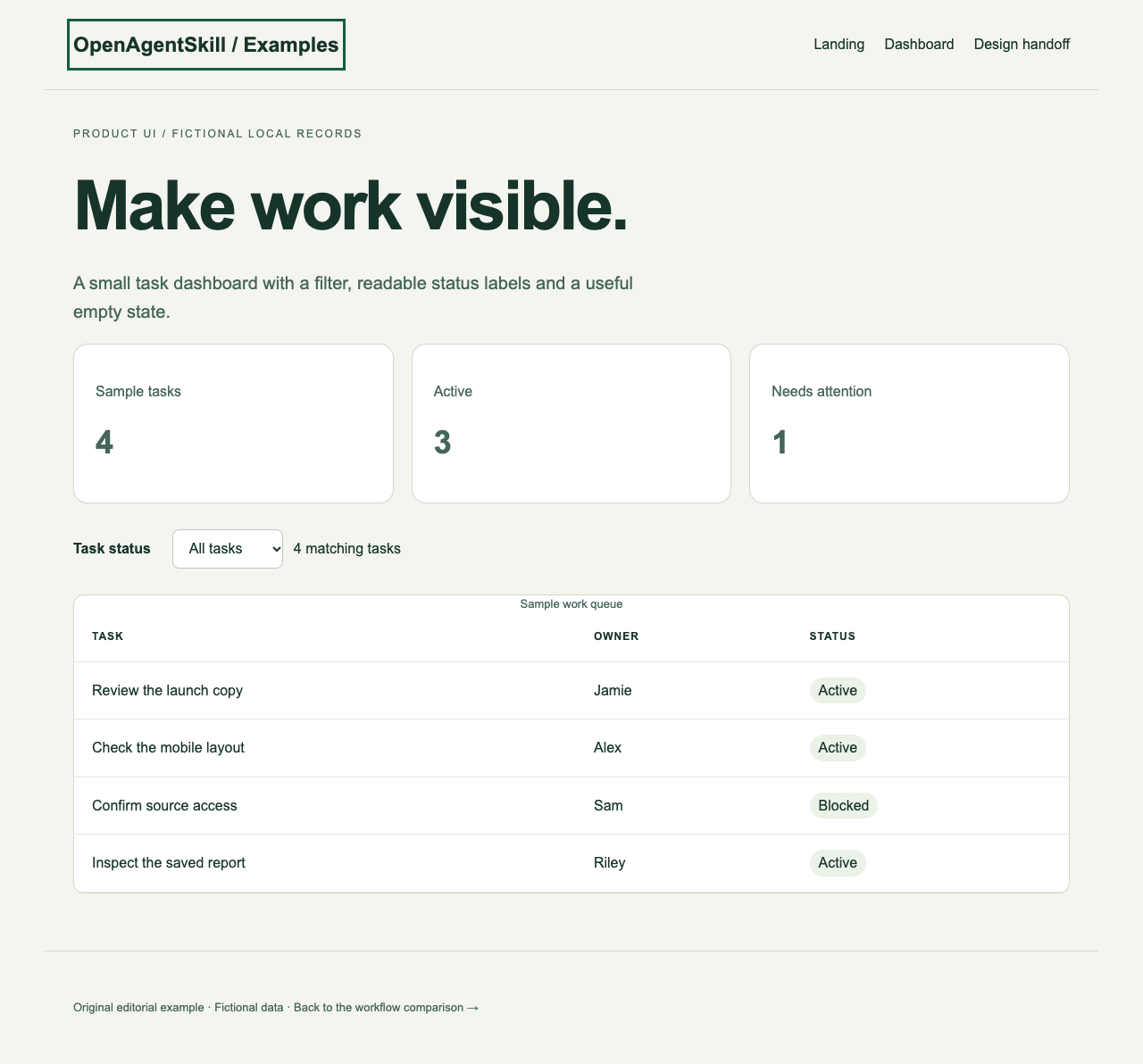
Original editorial example. Filter interaction and the empty state checked in a browser; sample records remain local.
No live backend or customer metrics. It demonstrates product UI requirements, not backend integration or a usability study.
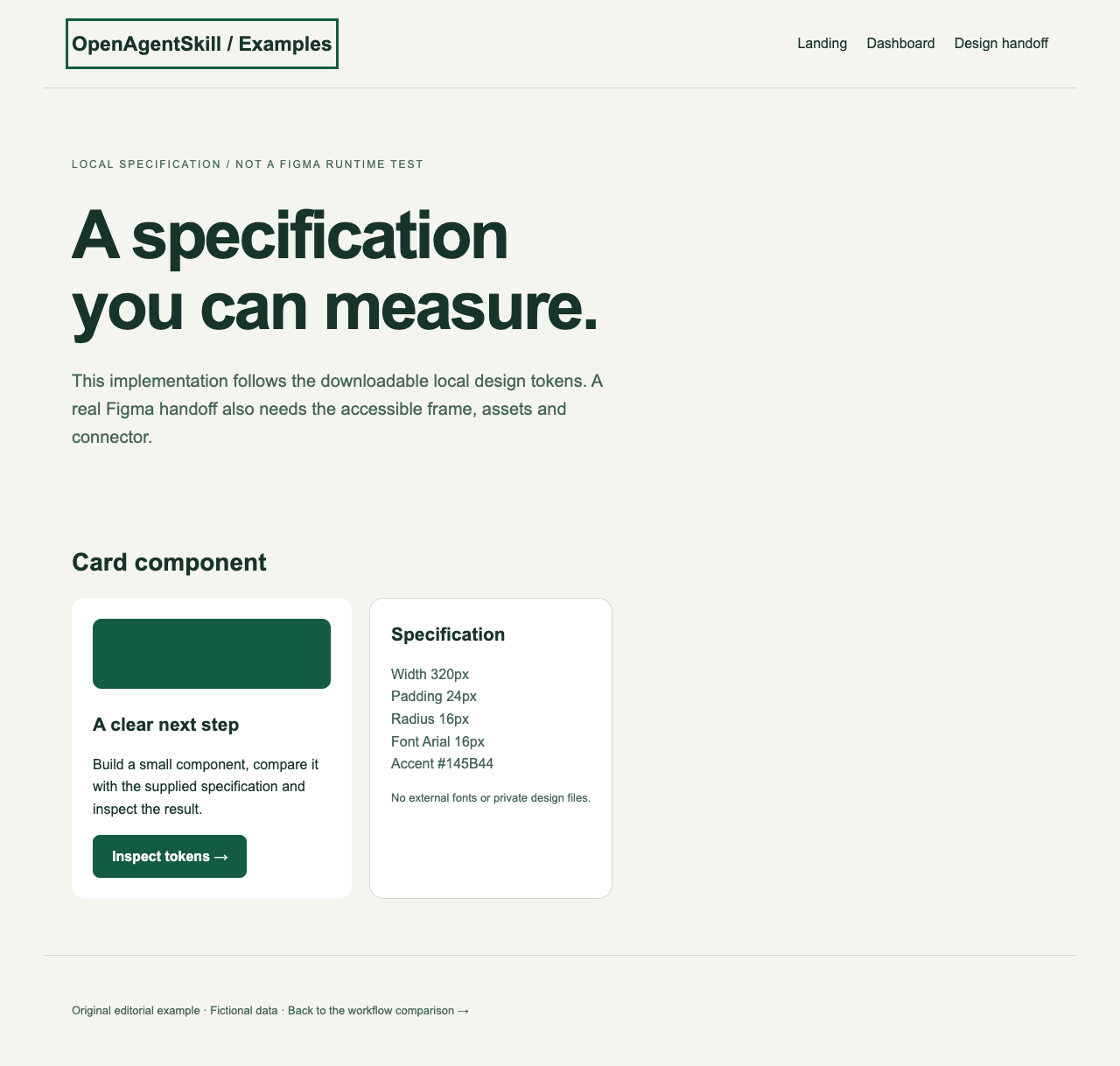
Original editorial fixture. The implemented colors, spacing and card width are compared with the supplied local token specification.
The source is a local design specification, not a private Figma file. A real Figma fidelity check requires your accessible frame and Figma MCP.